
A complete ERP for your ISP, from billing to fiber.
All modules run in the same system, and that is why ZAQ can answer. Customer portal, subscriber app and technician app included in the plan.
Finance
Stay in control of revenue, collections and delinquency. Automate financial processes and follow your ISP’s results in one place.
Ask ZAQ: “What is this month’s delinquency rate?”
Available features
- Automatic billing
- Payment collection through the methods integrated in each country
- Bank reconciliation
- Collection workflow (dunning)
- Automatic suspension for non-payment
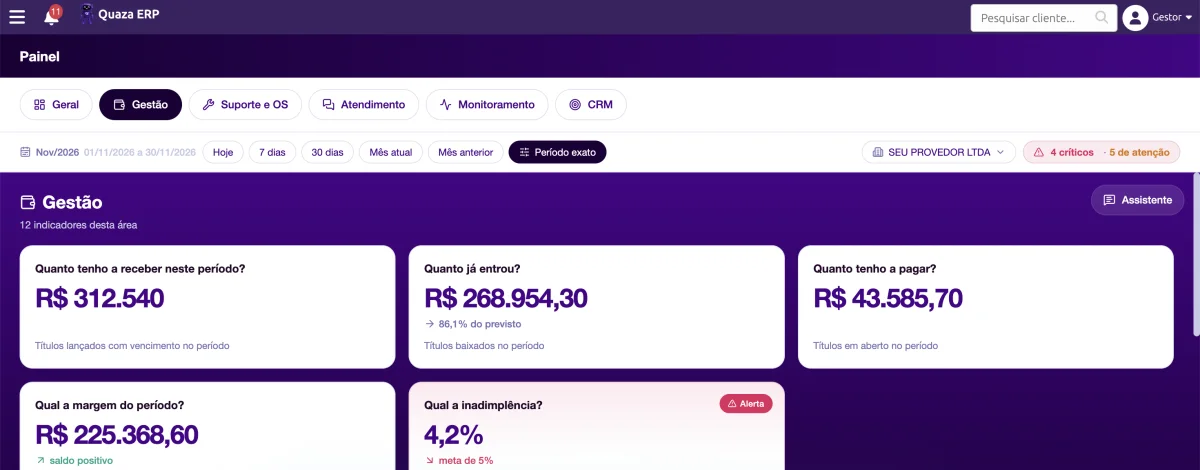
Actual Quaza ERP screen (Portuguese interface), with demo data.
Tax & e-invoicing
Issue your ISP’s invoices in the same system as finance and the P&L, following the tax treatment you define with your accountant.
Ask ZAQ: “How much did I invoice this month?”
Available features
- Brazil: NFCom, NFS-e, NF-e and NFC-e. Value-added services (SVA) are invoiced on NFCom or separately on NFS-e under Brazil’s tax reform.
- Argentina: AFIP electronic invoice
- Paraguay: SIFEN electronic invoice (via FacturaSend)
- Other countries: talk to a specialist
Customer service and Chatbot
Automate invoice copies, reconnection and ticket opening on WhatsApp, according to your setup, and leave to your team what needs a person.
Ask ZAQ: “How many conversations did the bot solve on its own today?”
Available features
- Service desk with WhatsApp (official and unofficial API)
- Bot that handles invoice copies, reactivation and ticket opening
- Contract accepted through WhatsApp itself
Support and Work Orders
Organize your field team and follow every work order, from opening to completion in the field, with deadlines in sight.
Ask ZAQ: “How many work orders are open right now?”
Available features
- Visual schedule for the technical team
- Work orders from start to finish
- Field execution through the technician app
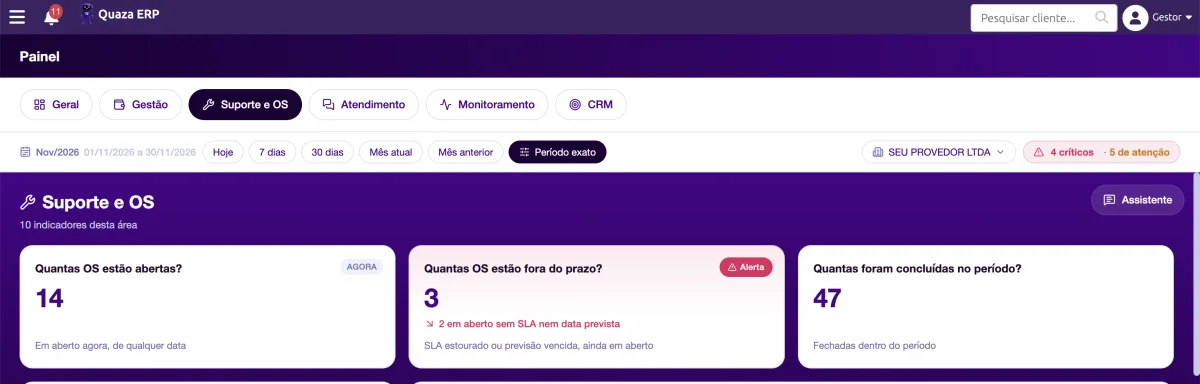
Actual Quaza ERP screen (Portuguese interface), with demo data.
Network monitoring
Know who is connected, how the fiber signal looks and where sessions dropped, so you can act before it becomes a ticket.
Ask ZAQ: “How many subscribers are disconnected right now?”
Available features
- Connected and disconnected subscribers
- Fiber signal
- Session drops in real time
Inventory
Track ONUs, routers and materials from the warehouse to the subscriber’s home and know where every device is.
Ask ZAQ: “How many ONUs do I have in stock?”
Available features
- ONUs and routers
- Fiber and connectors
- Tracking from the warehouse to the customer
Mapping
See your subscriber base and network on the map and find where cancellations concentrate, so you can act early.
Ask ZAQ: “Which area has the most cancellations?”
Available features
- Georeferenced subscriber base
- Network on the map
- Focus on churn prevention
CRM and Sales
Follow every lead, from first contact to active subscriber, and see at which stage sales stall.
Ask ZAQ: “How many leads are stuck in the funnel?”
Available features
- Sales funnel
- From lead to active subscriber
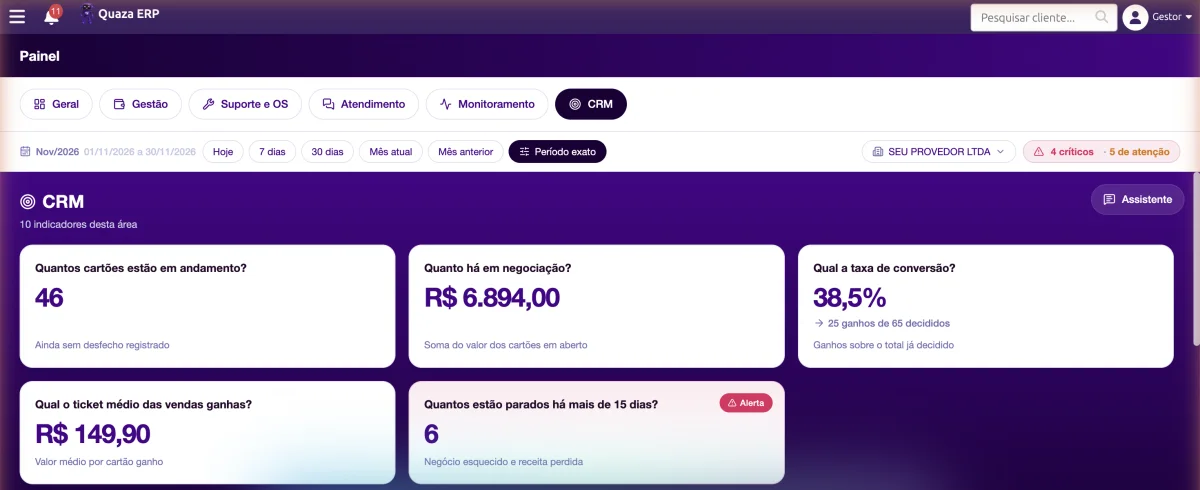
Actual Quaza ERP screen (Portuguese interface), with demo data.
Management dashboard
The indicators that matter for decisions, by area, in a single dashboard.
Ask ZAQ: “How is this month compared to last month?”
Available features
- Dashboard by area
- Decision indicators
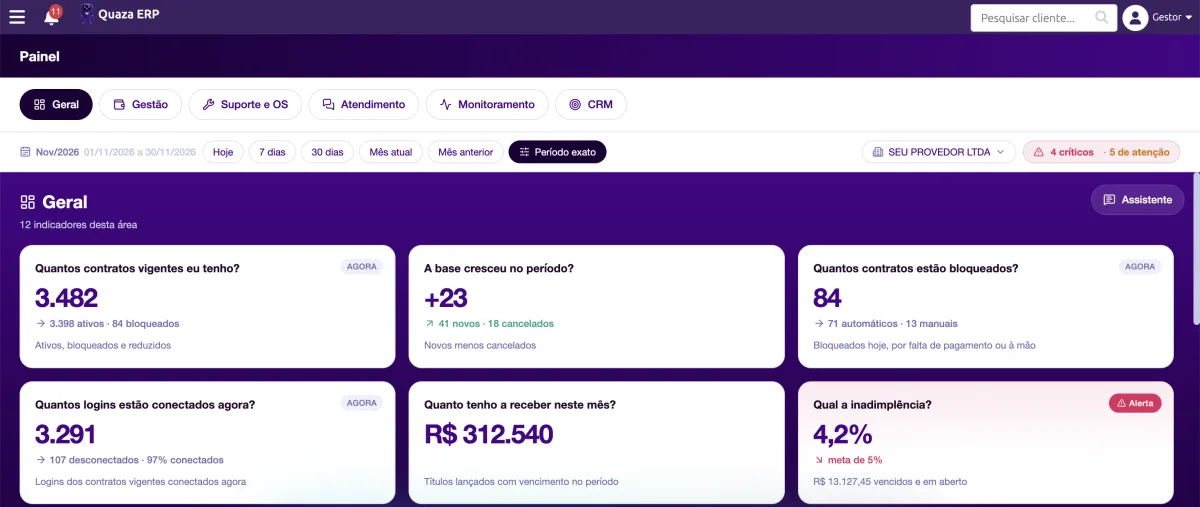
Actual Quaza ERP screen (Portuguese interface), with demo data.
And on top of all the modules, ZAQ.
Instead of opening six screens to find a number, just ask.
Meet ZAQ →
- Question: How many work orders are open right now?
- ZAQ’s answer: 14 open: 9 installations and 5 repairs. 3 are overdue.9 installations5 repairs3 overdueSee schedule
Apps and Customer Portal
At no extra cost. In many systems on the market, the customer app is a module charged separately.
Subscriber app
- Invoice copies
- Ticket opening
- Invoices
- Connection test
- Self-reactivation
- Refer a friend
Technician app
- Service calls
- Signature collection
- Network map
- Notifications
- Ping and connection test
Customer portal
- Subscriber access on the web
- Included in the plan, at no extra cost

Better performance in 2027 starts with everything in one system.
See ZAQ answering live in the demo.